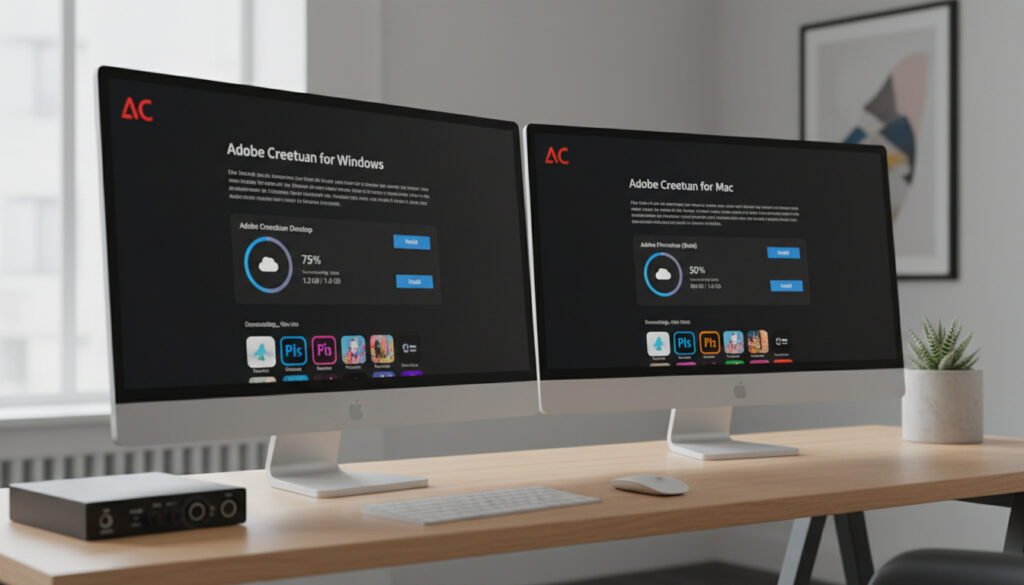
Adobe Creative Cloud Download – Official Steps for Windows and Mac
The Adobe Creative Cloud desktop application serves as the mandatory gateway for installing and managing professional software including Photoshop, Illustrator, and Premiere Pro. Downloading this central hub requires visiting Adobe’s official distribution channels to ensure security, as the installer automatically configures itself as the sole method for accessing individual creative applications.
Users must distinguish between downloading the desktop application itself—which requires no payment—and accessing the full suite of creative tools, which operates on a subscription basis after trial periods expire. Understanding this distinction prevents confusion regarding costs, system requirements, and installation procedures across Windows and macOS platforms.
How Do I Download Adobe Creative Cloud?
- The desktop application installs exclusively to default system locations and cannot be redirected to custom directories
- Individual creative applications like Photoshop or Illustrator install only through the desktop hub, not as standalone downloads
- Institutional accounts (universities, corporations) provide full suite access without personal billing requirements
- Previous application versions remain accessible through the desktop interface for legacy project compatibility
- The Creative Cloud Cleaner Tool resolves installation failures when standard uninstallation methods prove ineffective
- Download initiation occurs automatically upon visiting the official help page
| Attribute | Specification |
|---|---|
| Current Version | Latest (auto-updates upon launch) |
| Windows Installer | Creative_Cloud_Set-Up.exe |
| macOS Installer | Creative_Cloud_Installer.dmg |
| Supported Windows | Windows 10, Windows 11 (fully compatible) |
| Supported Mac | Intel and Apple Silicon (M1/M2/M3) |
| Account Requirement | Adobe ID (personal, school, or enterprise) |
| Offline Installation | Not supported; requires internet connection |
| Cleaner Tool Availability | Yes (for troubleshooting corrupted installs) |
Windows users initiate installation by double-clicking the .exe file and following on-screen authentication prompts. macOS users mount the .dmg disk image and launch the installer package. Both methods require administrator privileges and an active internet connection to verify account credentials and synchronize with Adobe’s licensing servers.
Is Adobe Creative Cloud Free to Download?
The Creative Cloud desktop application itself carries no download cost. Users may obtain the installer from Adobe’s official pages without entering payment information. However, launching individual applications such as After Effects or InDesign requires either an active subscription or trial authorization.
Free Trial Details
Trial access begins after downloading the desktop application and selecting “Try” for specific apps. Documentation from California State University, Fullerton indicates this grants thirty days of access without subscription charges, though commercial terms may vary by region or promotional period. Users must avoid selecting “Personal Account” during trial signup if they wish to bypass immediate payment prompts, instead choosing “Company or School Account” where applicable.
Subscription Costs
Post-trial usage requires converting to a paid plan managed through the desktop application or Adobe’s subscription portal. Specific pricing tiers vary by bundle configuration (single app versus complete collection) and student eligibility. Enterprise and educational institutions provision access through centralized billing, allowing users to sign in with institutional email domains rather than personal payment methods.
University and corporate account holders receive full Creative Cloud suite access without individual credit card transactions. Authentication occurs through Duo or similar enterprise systems, streamlining installation for students and employees while centralizing licensing costs under organizational agreements.
What Are the System Requirements for Adobe Creative Cloud?
Adobe maintains detailed technical specifications for both the desktop application and individual creative tools. Verification of operating system versions and hardware capabilities prevents installation failures and performance degradation.
Windows and macOS Compatibility
Windows 11 receives full support alongside Windows 10, though specific applications may demand updated processor architectures or graphics capabilities. Apple Silicon Macs (M1, M2, and M3 series) run the desktop application natively, with Adobe confirming compatibility for plugin ecosystems and application transfers from Intel-based systems. Users should consult the technical requirements documentation before installing, as older operating systems may lack support for current Creative Cloud versions.
Device Support and Safety Protocols
Downloading exclusively from Adobe’s official help pages or the verified Microsoft Store listing eliminates security risks associated with repackaged or cracked distributions. The desktop application employs encrypted connections for all subsequent downloads, ensuring integrity of individual software components. Users running legacy hardware should verify compatibility through Adobe’s specification sheets, as resource-intensive applications like Premiere Pro impose stricter requirements than the desktop management tool itself.
How to Troubleshoot Adobe Creative Cloud Download Issues?
Installation interruptions typically stem from connectivity failures, conflicting legacy software, or credential authentication errors. Adobe provides specific diagnostic pathways for each failure mode.
Managing Previous Installations
Users must uninstall previous Creative Cloud iterations through the desktop application’s management interface before attempting fresh installations. When standard removal proves unsuccessful—indicated by error codes 1-99 or 28000—the Creative Cloud Cleaner Tool removes corrupted registry entries and residual files that prevent new installations.
Third-party websites offering “cracked” or “pre-activated” Creative Cloud installers distribute malware and violate copyright law. These unauthorized packages compromise system security and lack update mechanisms, leaving users vulnerable to exploits. Always verify URLs match helpx.adobe.com or adobe.com domains before downloading.
Accessing Legacy Versions
The desktop interface includes an “Available versions of Adobe apps for download” section, enabling project compatibility with older file formats. This feature proves essential for collaborative environments where team members operate different Creative Cloud iterations.
Persistent installation failures require checking network connectivity, disabling VPN services temporarily, and ensuring sufficient disk space in default system directories. The Adobe Help Center maintains comprehensive error code lookups for scenarios where the Cleaner Tool does not resolve conflicts.
Evolution of Creative Cloud Distribution
- : Adobe transitions from perpetual licensing to the Creative Cloud subscription model, introducing the desktop application as a centralized management tool.
- : Native Apple Silicon support launches, enabling optimized performance on M1 Macs without Rosetta translation layers.
- : Integration of generative AI capabilities (Firefly) into the download ecosystem, requiring updated system specifications for neural processing tasks.
Verified Facts vs. Persistent Uncertainties
| Established Information | Remaining Uncertainties |
|---|---|
| Official downloads from Adobe domains carry no malware and receive automatic security patches | Exact trial duration varies between seven and thirty days depending on specific application bundles and regional promotions |
| The desktop application mandates installation to default system locations without user-defined paths | Future support timelines for older Windows 10 builds remain unspecified as Microsoft phases out the operating system |
| Windows 11 and Apple Silicon Macs receive full technical support | Precise pricing for individual versus all-apps subscriptions fluctuates and requires direct verification |
Understanding the Creative Cloud Ecosystem
Creative Cloud represents Adobe’s shift from perpetual software ownership to subscription-based access, requiring the desktop application to function as both installer and license validator. This architecture ensures users always access current feature sets while maintaining cloud storage synchronization across devices. When Will WASPI Get a Decision – 2026 Update and Timeline demonstrates how complex administrative systems manage access protocols, similar to Adobe’s credential verification requirements. For more information on official downloads, you can visit $skildringen.se.
The desktop application serves functions beyond simple installation, managing font libraries, cloud document syncing, and update scheduling. Users cannot bypass this central hub to install individual applications, making the initial download procedure critical to all subsequent creative workflows. Understanding this dependency helps explain why troubleshooting focuses heavily on repairing the desktop application rather than individual creative tools.
Official Adobe Communications
Creative Cloud gives you the entire collection of Adobe apps along with exclusive features like Sync Settings, Cloud Storage, and the ability to share work directly from within the applications.
Adobe Official Product Documentation
Download the Creative Cloud desktop app from the Creative Cloud download page, where the installer begins automatically. The app installs only in the default location and serves as the hub for installing individual apps.
Adobe Help Center Technical Specifications
Essential Pre-Download Checklist
Prospective users should verify operating system compatibility, ensure administrative access to their machines, and confirm internet connectivity before initiating downloads. Those affiliated with educational institutions or corporations must obtain login credentials from IT departments rather than creating personal trials. Jun Ji-hyun – Age, Family, Career and 2025 Updates illustrates how professional workflows depend on reliable technical infrastructure, underscoring the importance of proper installation preparation for creative industries.
Frequently Asked Questions
Can I download Adobe Creative Cloud without a subscription?
Yes. The desktop application downloads without payment, but launching individual apps like Photoshop requires a subscription or active trial. The installer itself remains free to obtain from Adobe’s official pages.
Is Adobe Creative Cloud download safe?
Downloads from official Adobe domains (helpx.adobe.com or adobe.com) undergo encryption and verification. Avoid third-party sites offering cracked versions, which distribute malware.
How much does Adobe Creative Cloud cost?
Adobe offers various subscription tiers including single-app plans and complete collection bundles. Specific pricing requires checking Adobe’s current rate cards, though students and institutions receive significant discounts.
What devices support Adobe Creative Cloud?
Windows 10 and 11 PCs, plus Intel and Apple Silicon Macs (M1/M2/M3), support the desktop application. Specific creative apps may impose additional GPU or RAM requirements beyond the base system specs.
How to uninstall previous Adobe apps before downloading Creative Cloud?
Remove existing installations through the Creative Cloud desktop app’s management panel. For corrupted removals, Adobe’s Creative Cloud Cleaner Tool eliminates residual files that block new installations.
How to download older versions of Creative Cloud apps?
The desktop application includes an “Available versions” section allowing installation of previous releases for legacy project compatibility. This requires an active subscription.
More related posts